Use this GDPR audit checklist to review cookies, tracking scripts, third-party technologies, consent behavior, and website data collection practices that may affect GDPR compliance during real user visits.
Want to test your live website instead of reviewing items manually? Use the GDPR Audit Tool.
Built to help teams review website behavior, consent controls, and tracking-related risk areas in a more structured way.
Helpful for compliance teams, founders, and agencies
Useful before audits, launches, or regional expansion
This GDPR audit checklist is designed for teams that want a practical way to review website tracking, cookies, consent mechanisms, and personal data handling before relying only on policies or visible banners.
Below is a preview of the kinds of checkpoints included in the GDPR audit checklist. The downloadable version can be used as an internal review worksheet in Excel or PDF format.
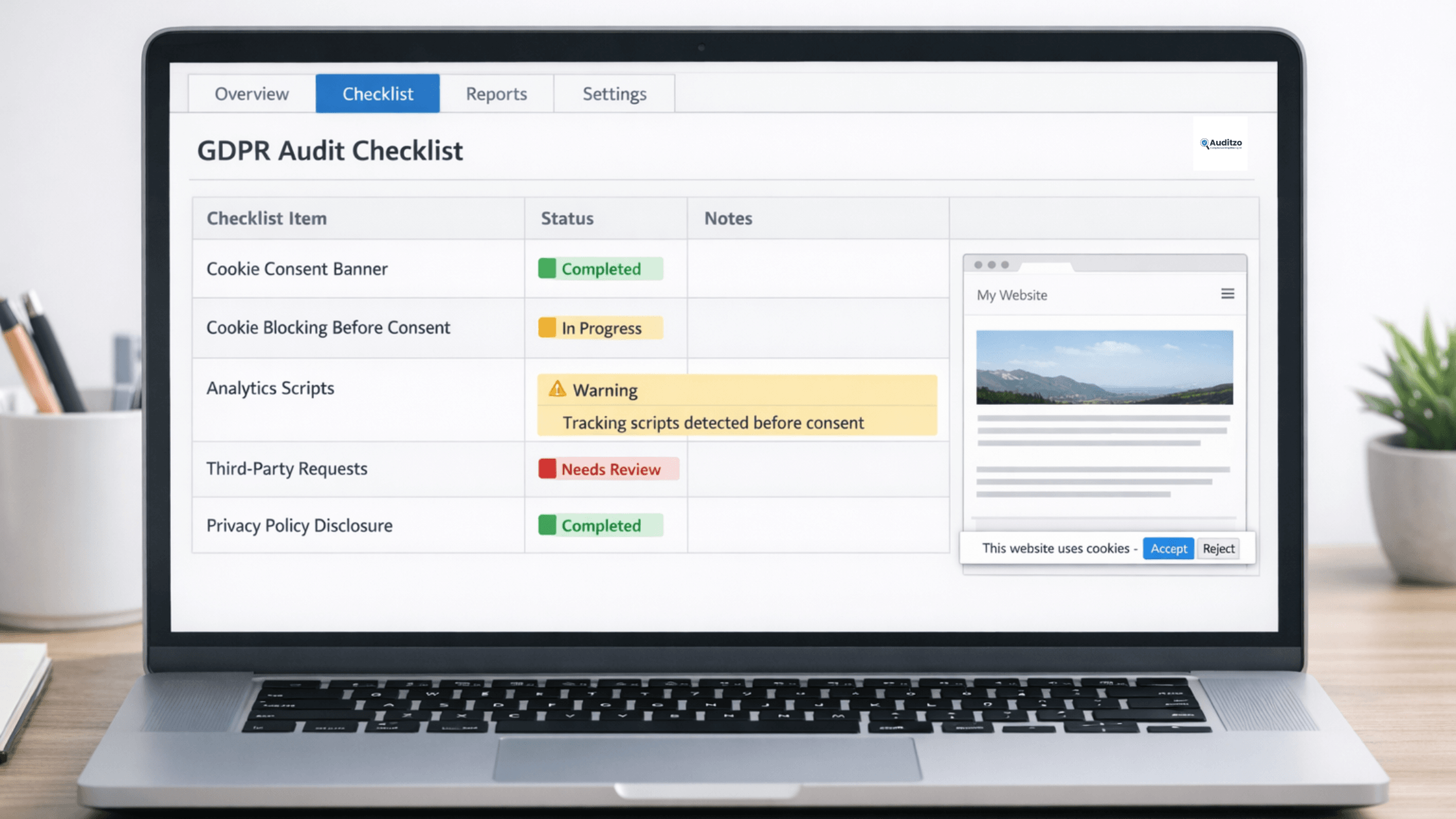
Preview of the GDPR audit checklist used to review cookies, tracking scripts, and website compliance checkpoints.
| Checklist Area | Sample Review Questions |
|---|---|
| Cookie Consent | Are non-essential cookies blocked before consent is given? |
| Tracking Scripts | Do analytics or marketing scripts load automatically on page load? |
| Third-Party Technologies | Are external tools or platforms receiving identifiers during visits? |
| Forms and Data Collection | Are personal data collection points clearly disclosed and intentionally configured? |
| Privacy Documentation | Do disclosures match actual website behavior during real visits? |
| Regional Controls | Does the website behave differently based on visitor location or consent state? |
A useful GDPR audit checklist should go beyond surface-level compliance items. For websites, that means reviewing not only policies and banners, but also how cookies, scripts, trackers, forms, and third-party connections behave in practice.
Review whether non-essential technologies appear to activate before user choice.
Identify tools, platforms, and integrations that may receive user-related data.
Compare privacy and cookie disclosures against actual website behavior.
Use structured checklist items to support internal review and follow-up actions.
Use the checklist as a working document for internal reviews, implementation checks, or preparation before running a more detailed website audit.
Useful for teams that want to track review status, notes, and follow-up actions.
Download Excel checklist →Useful for internal review, sharing, or quick manual reference.
Download PDF checklist →Use Auditzo’s tools to review actual website behavior beyond a manual checklist.
Check website GDPR compliance →A checklist helps teams structure manual review. But if you want to understand what a live website appears to do during real visits, you can combine this resource with Auditzo’s tools such as the website GDPR compliance checker, the GDPR cookie checker, or the GDPR audit tool.
Review cookies, scripts, forms, and website behavior during real visits.
Check website GDPR compliance →Focus specifically on cookies, tracking scripts, and consent-related behavior.
Use the GDPR cookie checker →Use a more detailed tool-based review for practical website analysis.
Run the GDPR audit tool →A GDPR audit checklist is a structured list of review points used to assess how a website handles cookies, tracking, data collection, consent, and related compliance risk areas.
It should include checkpoints related to cookies, consent, third-party scripts, data collection forms, privacy disclosures, and website behavior during live visits.
Yes. This page is designed to support downloadable Excel and PDF versions so teams can use the checklist as a working review document.
A checklist supports manual review. A live audit tool helps evaluate what a website appears to do during real visits, including cookies, scripts, and third-party activity.
Use a short assessment to identify which privacy and data protection frameworks may be relevant based on your website setup, user regions, and business model.
Use the checklist for manual review, then scan your live website for clearer visibility into cookies, scripts, and tracking behavior.